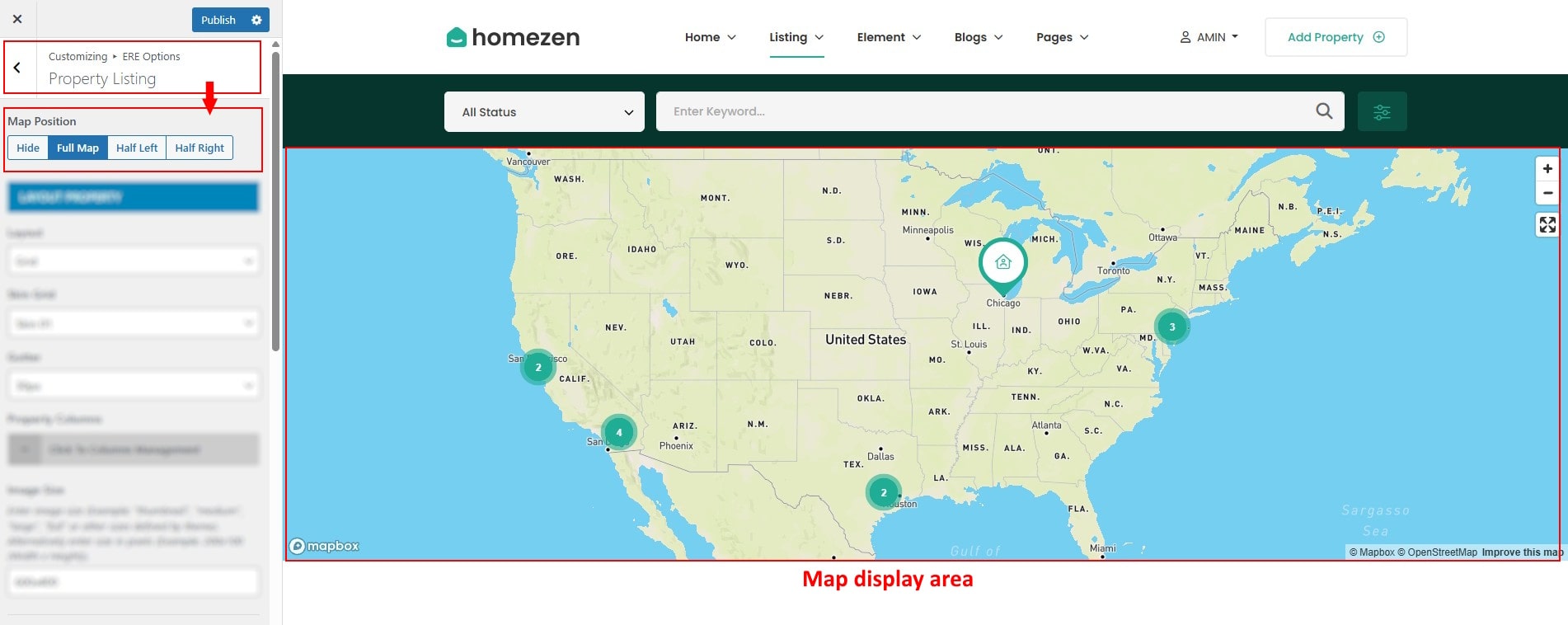
- In Dashboard Admin, Navigate to: Appearance » Customize » ERE Options » Property Listing
How to Configure Map Position on Listing Page
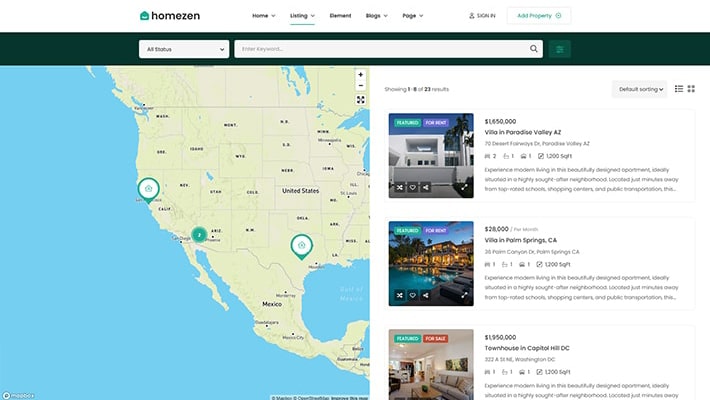
- in Property Listing group then locate Map Position. You can disable the map to show only the property list, or choose to display the map on the left or right side of the page.
How to Configure the Layout of the Listing Property Page
- in Property Listing group then locate Layout Property.
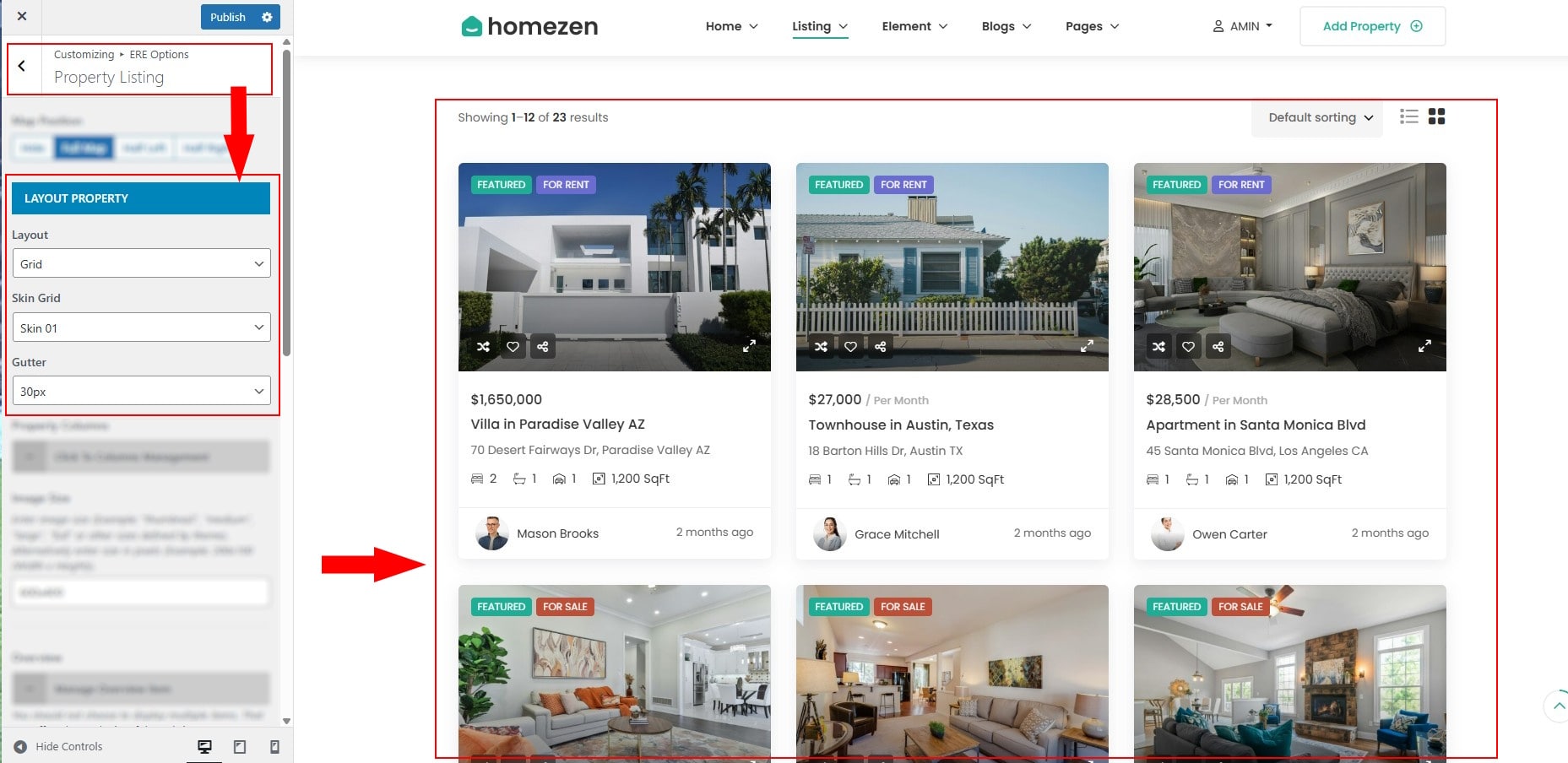
- Layout: Select the listing layout type: grid or list view.
- Skin: Choose the visual style for each property item.
- Gutter: Adjust spacing between property items in the listing.


How to Configure the Top bar
- in Property Listing group then locate Top bar.
- You can enable items, reorder them via drag-and-drop, and choose their display position on the top bar..

Other configurations for the listing page

- Default Property Sorting: Configure the default sorting method for property listings.
- Post Per Page: pecify how many properties to display per page.
- Paging: Select the pagination type.
- Animation: Apply entrance animations when properties load on scroll.