We highly recommend backing up your theme, files and entire database before updating.
Manual Update Method
Step 1:Go to Downloads Download zip file from templatemonster
Don’t forget to unzip the file and select the correct zip file to install
Step 2: – Upload file:
- If you use FTP, you just have to Log in to FTP, then Update file landup-v.x.x.zip into folder .../htdocs/wp-content/themes
- If you use the Admin dashboard, follow these steps to update landup to the new version
- From Admin Dashboard, go to Appearance > Themes > Add New > Upload Theme.
- Choose to upload landup-v.x.x.zip, then click Install Now.
- Hit Replace active with uploaded and it’s done.
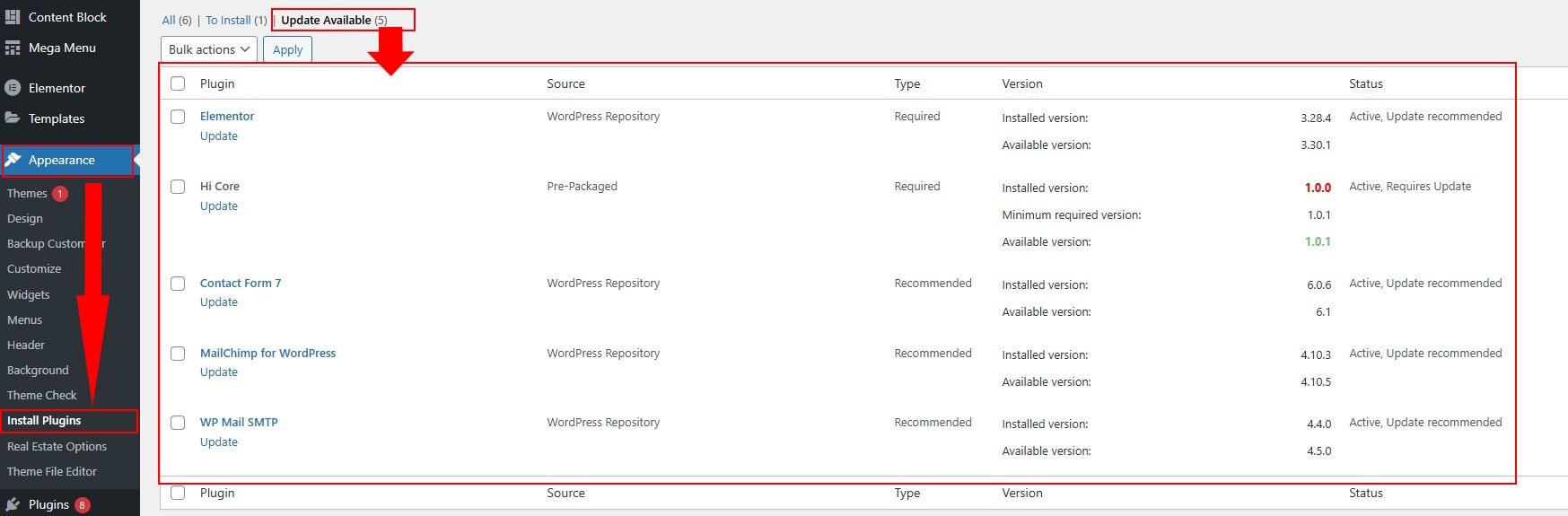
Step 3: [Important] : Update required plugins from the theme.