- In Dashboard Admin, Navigate to: Appearance » Customize » Blog » Single
How to Configure the Single Blog Layout
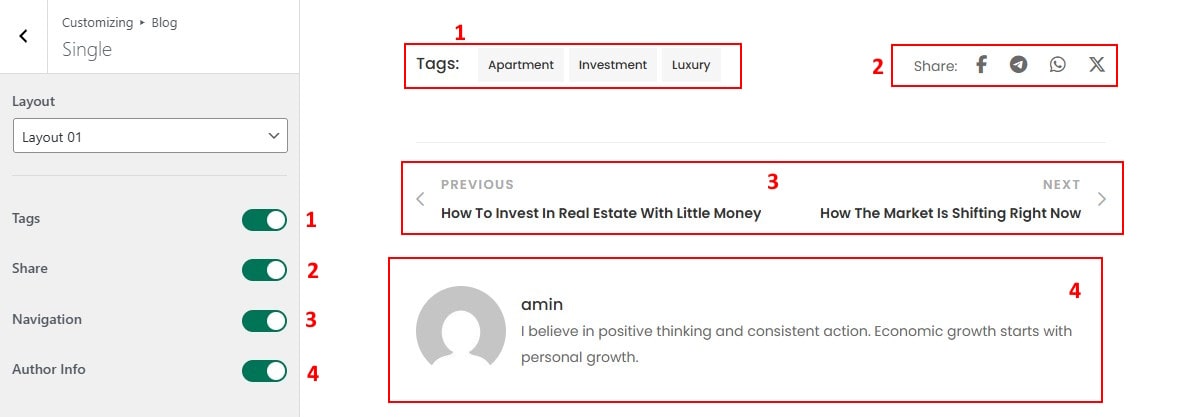
- Layout: Choose a layout for the single blog
- Tags: Show tags for posts
- Share: Show Share for posts
- Navigation: Show Navigation for posts
- Author Info: Show Info for author
How to Configure Related Posts in Single Blog
- in Single group then locate Related.

- Enable Related Post: Show or hide the related posts section at the end of each blog post.
- Related Post Algorithm: Select the method to determine which related posts are displayed (e.g. by category or tag).
- Layout Related Post: Choose the layout style for displaying related posts, such as grid or list.
- Show Excerpt: Display a short summary (excerpt) below each related post title.
- Gutter: Set the spacing between related post items in the layout.
- Image Size: Choose the image size used for related post thumbnails..