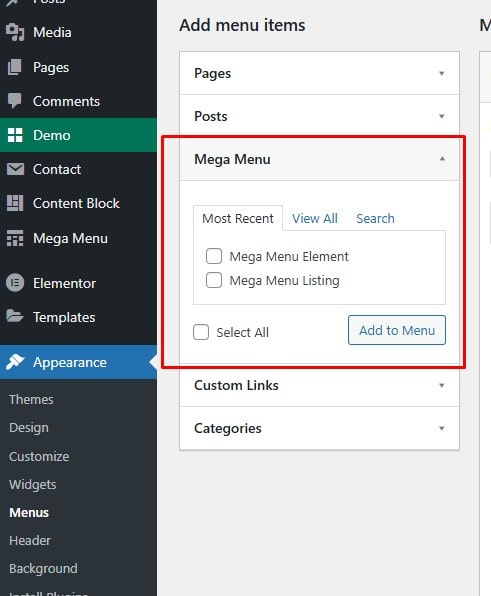
Step 1: Create a new post under the Mega Menu post type
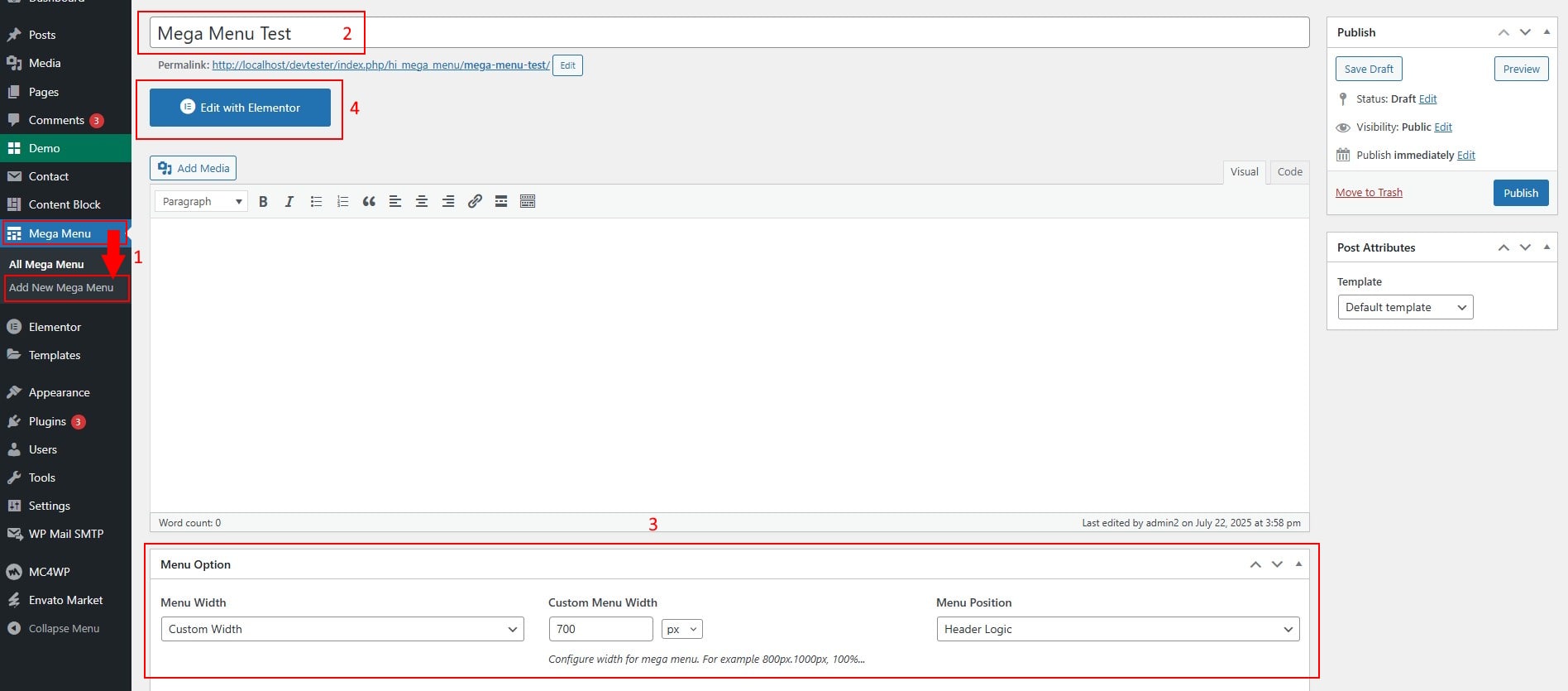
- In the WordPress Dashboard, go to Mega Menu and create a new menu.
- Configure your menu settings in the Mega Options. You can customize width and configure the menu display position
- Then click the Edit with Elementor button to build your menu layout.
- If the Edit with Elementor button is missing, enable the option HERE
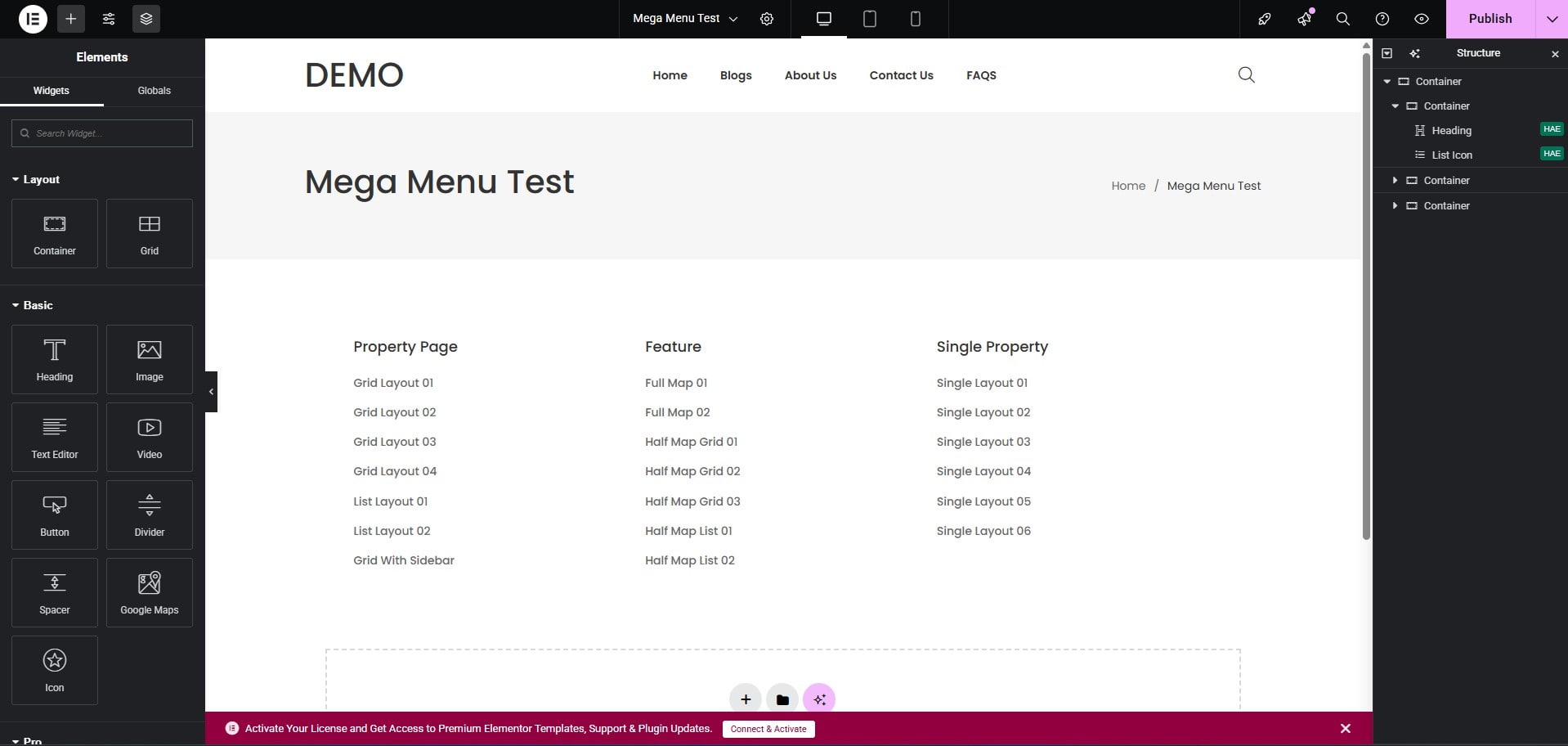
Step 2: Build the menu layout using Elementor
- You can freely build your menu using Elementor's versatile widgets. Below is a simple Mega Menu example to help you visualize the structure.
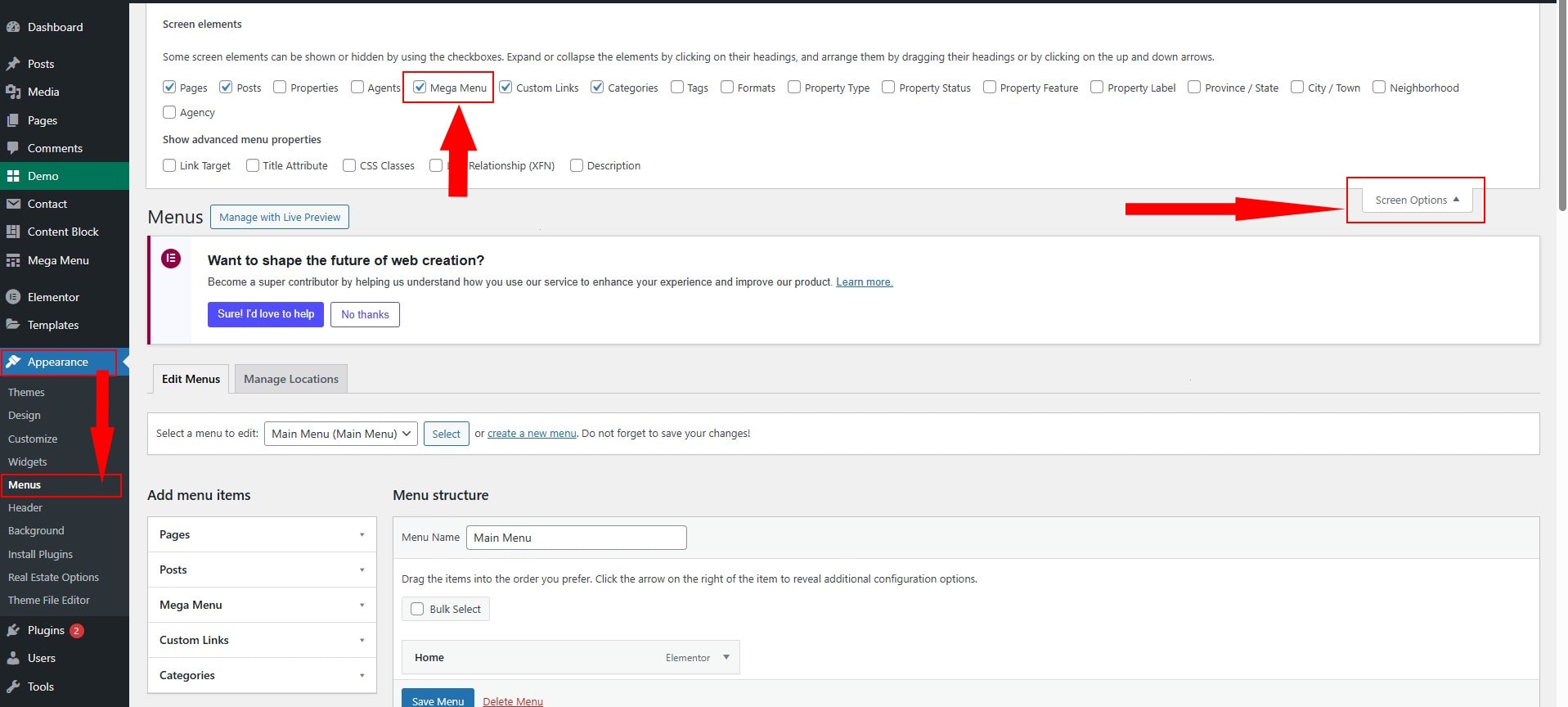
Step 3: Enable Mega Menu in the Screen Options tab on the Menus page
- If you don't see the Mega Menu option, click Screen Options (top-right corner) and enable the Mega Menu checkbox.
Step 4: Assign your Mega Menu to a top-level menu item
- Select the Mega Menu you just created from the list, then assign it to the top-level menu item where you want it to appear.