Step 1: Upload zip file
- First,Go to Downloads Download zip file from templatemonster
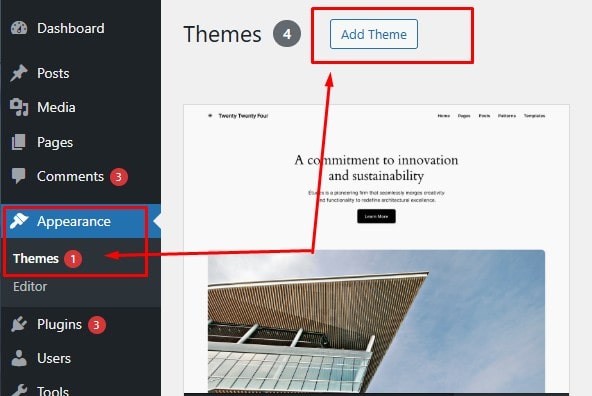
- Go to Admin > Appearance > Themes
- Upload zip file > Install Now
- It's done, then hit Activate
- Activate Landup theme now
Step 2: Install required plugins
After activating the Landup theme, a notification will appear prompting you to install the required plugins. Please click on this notification to proceed with the installation.
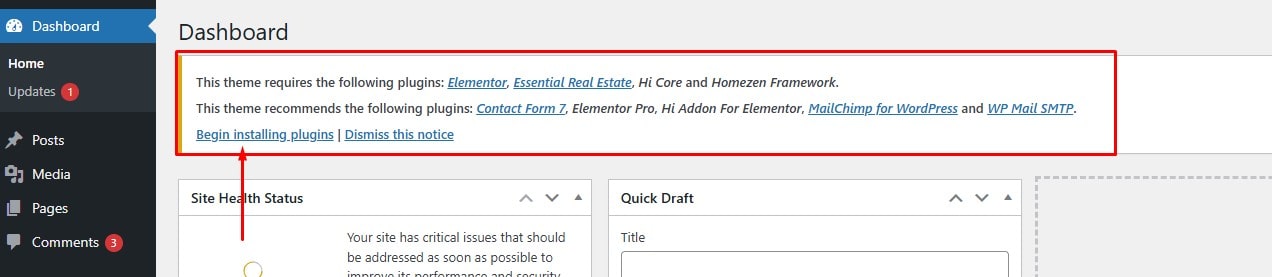
You need to install and activate the theme's required plugins to install demo data
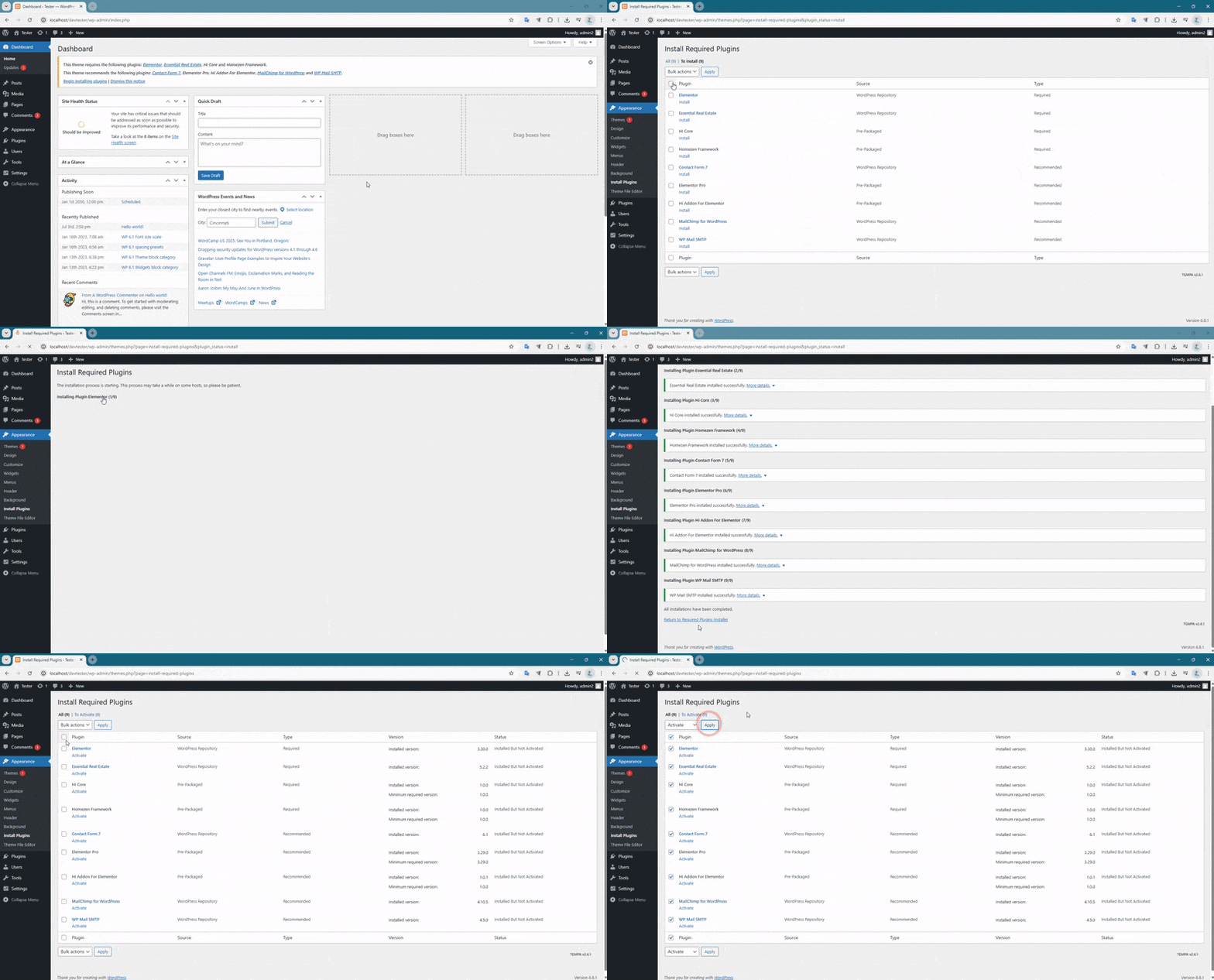
Step 3: One Click Demo Import
After completing the above steps. We will proceed with the demo data installation step.
- Before proceeding with the installation, you should Check System Status to make sure your system is compatible with the theme.
- This is a new wordpress system. No data yet.
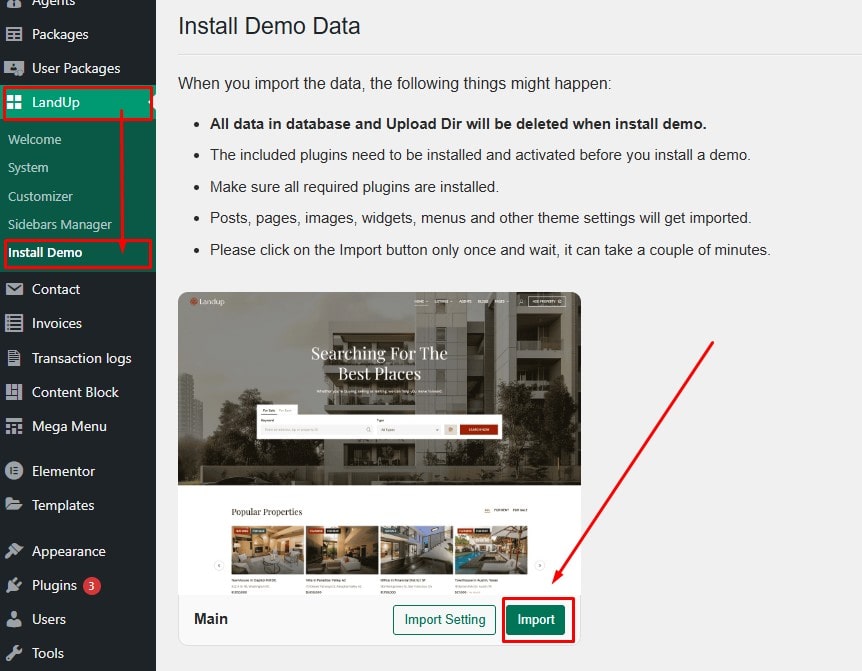
- Go to Landup >> Install Demo
- Go to your demo package. And click on the import button
Go make a cup of coffee and enjoy. After a few minutes you will have a great website that looks 100% like the demo we built