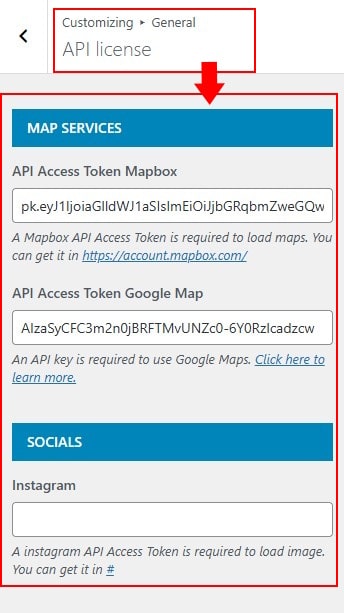
General
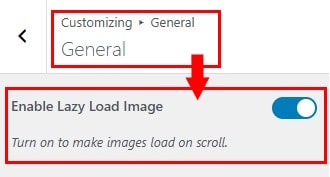
How to Enable Lazy Loading for Images
Improve your website’s loading speed by enabling lazy load for images. This feature ensures images are only loaded when they enter the user’s viewport, reducing initial page size.
in General section then locate Enable Lazy Load Image.
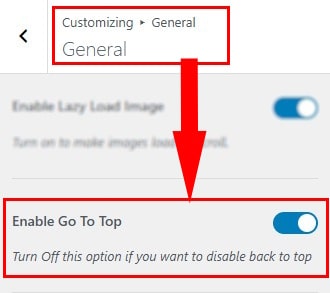
How to Enable the Back to Top Button
in General section then locate Enable Go To Top.
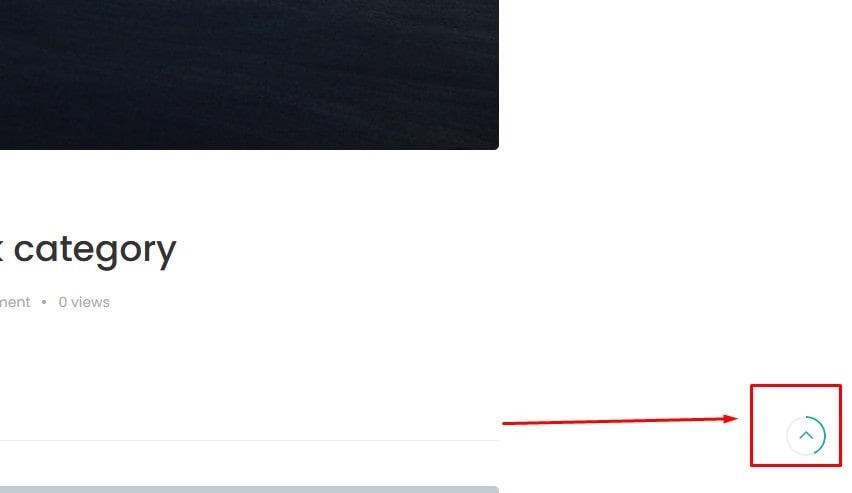
Here is the demo :
How to Configure the Default Thumbnail Placeholder
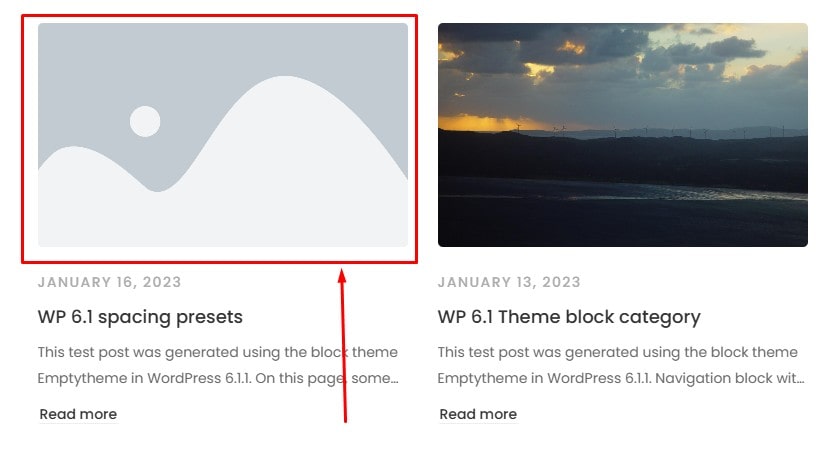
Set a default thumbnail placeholder image for posts that don’t have a featured image. This helps maintain a consistent layout across your blog or archive pages.
in General section then locate Thumbnail Placeholder Default.
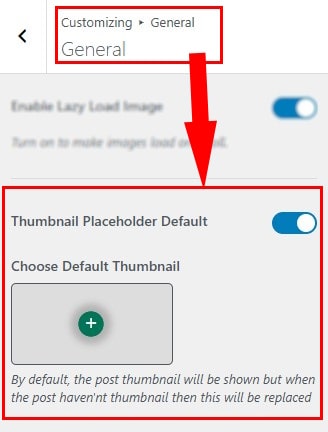
Here is the demo :
How to configure Maintenance Mode
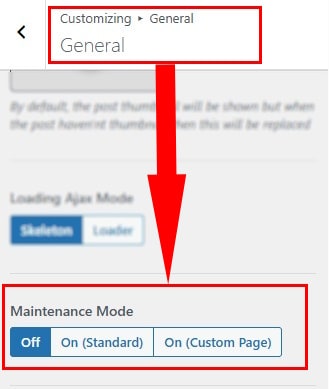
Enable Maintenance Mode to display a temporary message while your site is under construction or being updated. This keeps visitors informed without exposing unfinished content.
in General section then locate Maintenance Mode.
How to configure the Page Loading
Customize the page loading animation to enhance user experience while waiting for your site content to render. You can enable, disable, or choose from multiple loading styles to suit your preference.
in General section then locate Page Loading.
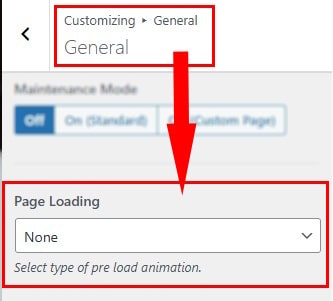
Here is the demo :

Typography
- In Dashboard Admin, Navigate to: Appearance » Customize » General » Typography
- To add a new font family. You can follow the instructions in section [Font Management]
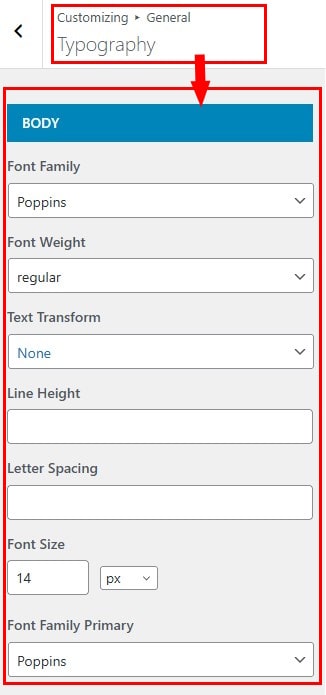
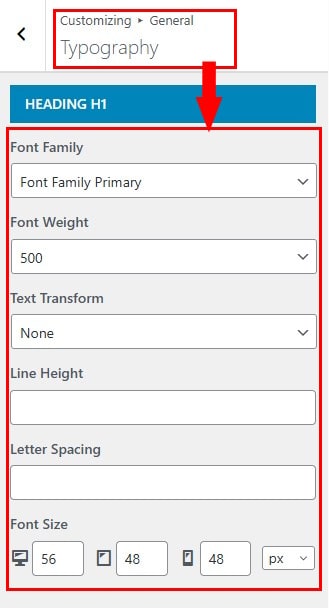
- In this section, you can configure the global typography settings for your entire website, including the body text and headings from H1 to H6.
- Options include Font Family,Font Weight,Line Height,Text Transform, Letter Spacing,Font Size that give you flexible control over your text styling.
How to Configure Typography for the Body
in Typography section then locate Body.
How to Configure Typography for Headings
in Typography section then locate heading tags from H1 to H6.
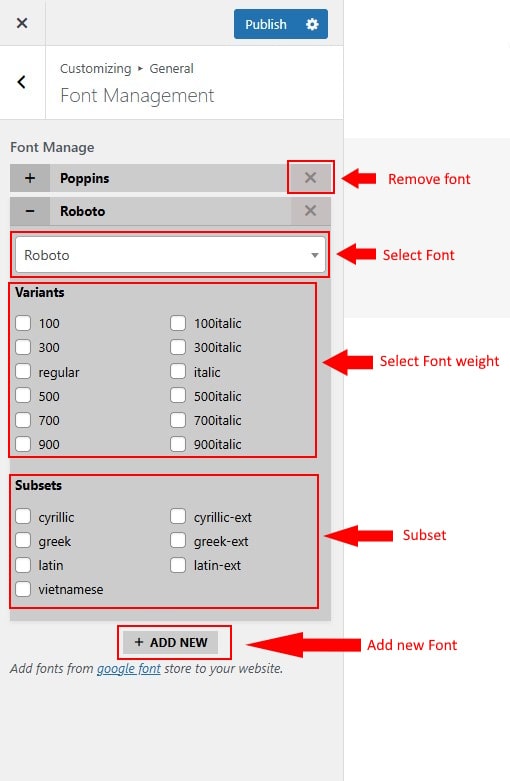
Font Management
- We only activate the font families necessary for your website’s operation. If you'd like to use additional fonts, please follow this guide to add new fonts from the Google Fonts library.
- You can easily add or remove fonts, and select the appropriate variants and subsets to suit your needs.
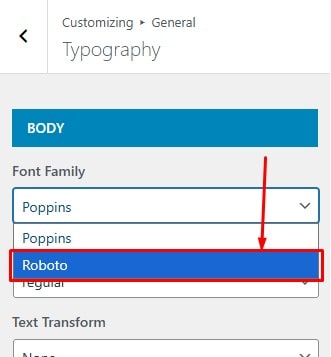
After you have added and saved your changes. In the typography section you can use these new fonts. Here is the demo :
Search
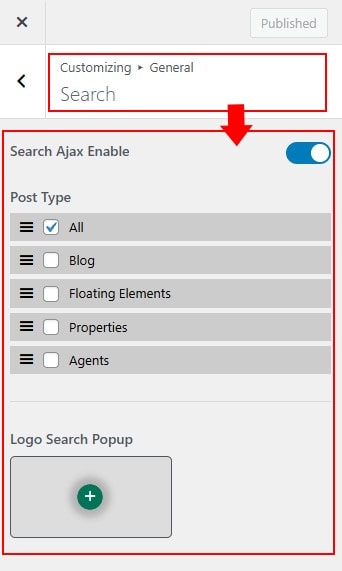
- At search you can configure the items below:
- Search Ajax Enable: Enable search ajax to apply returned results
- Post Type: Configure what types of articles the search returns
- Logo Search Popup: Configure the search logo in search popup
Socials Share
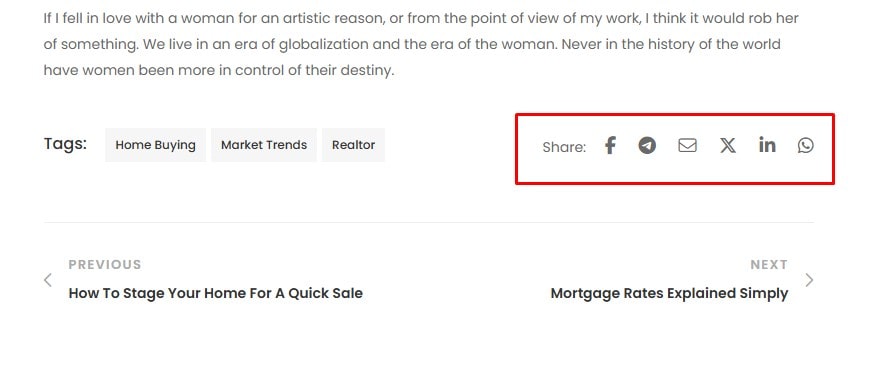
- Configure social networks to allow visitors to share posts across your entire website.
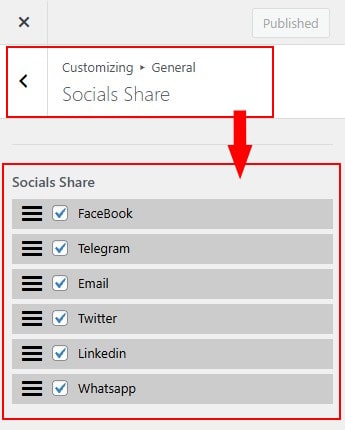
Here is the demo :
Socials Link
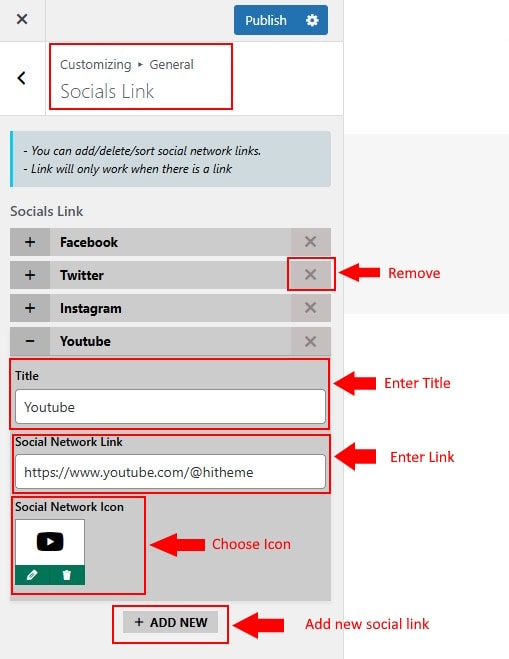
- Add links to your social media profiles (Facebook, YouTube, Instagram, etc.). These icons will appear in supported areas of the theme such as the header, footer...
API license
- Enter your API keys to connect with third-party services such as Google Maps, Mapbox, or Instagram. Proper configuration ensures related features are activated and displayed correctly on your website.